


AI Mail by Abstract Infosys
Send your emailin one go.
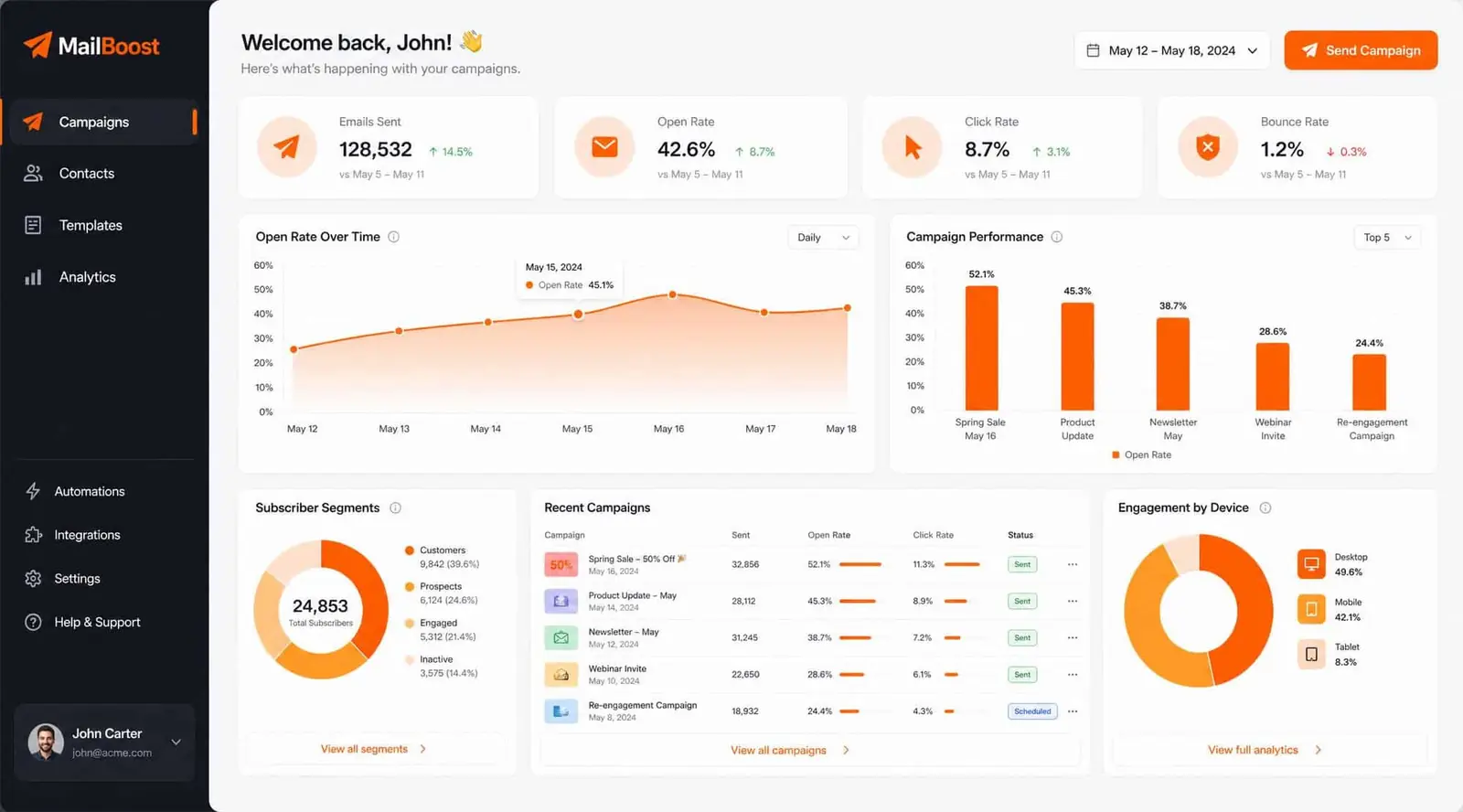
Upload contacts, build a campaign, and send. AI Mail checks the list and campaign before delivery, then shows opens and clicks as they happen.
No card. Cancel anytime.
Recognised by








Send better email, step by step
Build and track each campaign, with checks before sending.
Bring in your contacts
Upload a spreadsheet or connect your CRM. Group contacts by city, tag, or recent activity.
Build the email yourself
Add text, images, plus product blocks with drag and drop. No HTML needed.
Pause risky sends
AI Mail checks each campaign before it goes out. If bounces rise, it pauses the send.
See results as they happen
Watch opens and clicks while the campaign runs, plus unsubscribes.
Send your first email in five steps
AI Mail handles the checks. You choose the list and message, then set the send time.
-
1
01 / Domain
Connect your domain
We give you the DNS records. Add them to your domain in about ten minutes.
-
2
02 / List
Import your list
Import a spreadsheet or connect your CRM. We flag duplicates and dead addresses.
-
3
03 / Builder
Build the campaign
Add your content and subject line. An unsubscribe link is included.
-
4
04 / Pre-send
Run the pre-send check
We check the domain, list, unsubscribe link, and common spam terms.
-
5
05 / Send
Send, then watch
Mail goes out in batches. If complaints rise, the send pauses.
Made for teams that send often
Choose the setup that fits your work.
Send a sale email fast
Send restock alerts and sale emails to customers who opted in at checkout. Add product details and a buy button without rebuilding the email.
Start a free trial
One list for admissions
Keep deadlines, course launches, and alumni notices in one list. Personalise each message with the programme and intake.
Start a free trial
Send offers by destination
Send new packages and off-season deals to guests who opted in at booking. Group by destination or last stay.
Start a free trial
Follow up with old enquiries
Send newsletters and follow-ups to quiet leads and clients. Use a subdomain so campaign volume stays separate from your main address.
Start a free trial
Pricing
Pay for the contacts you keep and the email you send.
Starter
For one person with a small list
$9 / month
Start nowContacts
- Up to 1,000 contacts
Included
- 5,000 emails a month
- Opens and clicks tracked
- Not included: Segments and A/B subject lines
Basic
For a shop with a growing list
$29 / month
Start nowContacts
- Up to 10,000 contacts
Included
- 50,000 emails a month
- Segments and A/B subject lines
- Not included: Extra logins for your team
Team
For teams sending for several clients
$99 / month
Start nowContacts
- Up to 50,000 contacts
Included
- 500,000 emails a month
- Five logins and shared drafts
- Your own sending IP
Enterprise
For large teams with their own rules
$199 / month
Start nowContacts
- Unlimited contacts
Included
- Volume priced per send
- Support answers within the hour
- Run it on your own servers
Common questions
Answers before you sign up.
What is AI Mail?
AI Mail sends campaigns to large contact lists. Upload your list, build the email, and send. We handle delivery and show you who opened it.
Can I upload a list I bought?
No. Send only to people who gave you their address. Bought lists cause bounces and spam reports that can hurt your domain.
Why do I have to touch my DNS settings?
DNS records help Gmail recognise your mail. We give you the records to add, or walk you through it on a call.
What happens if my emails start bouncing?
The send pauses when the bounce rate rises. You can review the list before sending again.
What does the AI part actually do?
It checks the subject line for common spam terms. It chooses a send time for each person. It marks dead addresses.
Do I have to sign a contract?
No. Plans are monthly and you can cancel from the dashboard. Yearly plans cost 20% less. Export contacts and campaign history to CSV anytime.